If you want to delete your Telegram account for any reason, this guide will show you how to delete your Telegram account permanently. We will discuss three ways through which you will delete your Telegram account on your iPhone or Android devices, through a web browser, and the self‑destruct option.
The messages, groups, and contacts in your Telegram account will be safely transferred. Following the instructions, you will complete deleting your account with ease. It uses simple, plain language that is easy to understand. You will finish deleting the account without any confusion. And make sure to delete your account, because it will not be recovered later.
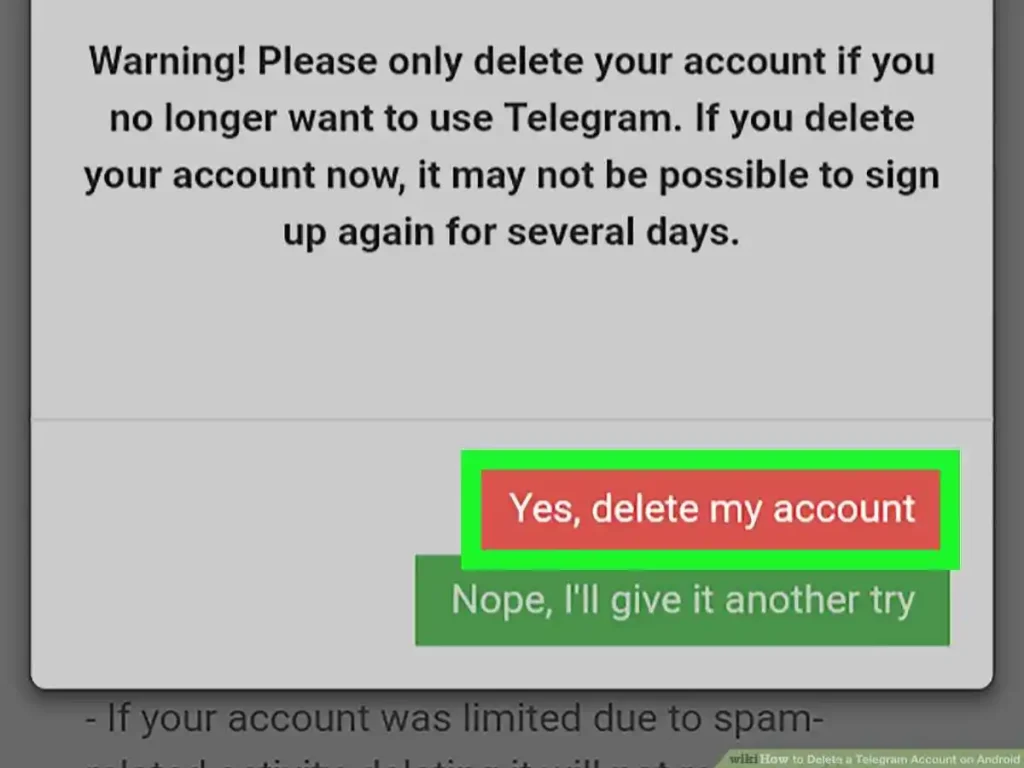
What to pay attention to when deleting your Telegram account.
To delete a telegram account, simply follow the steps outlined in this guide.
Before deleting your Telegram account, please consider these steps. These details help you avoid surprises and keep control over your digital life.
Backup important chats
If you need a copy of photos, videos, or important messages, save them to your phone or cloud storage first.
Group and channel membership
Leaving groups is automatic, but the group may still remember your username.
Business or bot accounts
If you run a bot or business account, delete the bot first or transfer ownership.
Two‑step verification
If you use a password, note that you’ll lose it; you won’t be able to activate it again.
Phone number
After deletion, the number can be reused by other people.
Re‑registration
If you decide to create a new Telegram account later, you can use the same phone number, but all previous data will be gone.
When you choose to delete a telegram account, there are several factors to consider.
Before You Delete: Important Things to Know
These points ensure you understand the finality and the practical implications before you proceed.
- Data is gone forever – Telegram stores messages only on its servers; once your account is deleted, the server‑side data is erased immediately.
- Contacts won’t be notified – Telegram does not send a “user deleted” message to your friends.
- Saved contacts stay – People who bookmarked your number will still see it, but you will no longer appear in their contact list.
- No cost or subscription – Deleting your account doesn’t affect any paid Telegram Premium subscription; you’ll lose access to it automatically.
- Self‑destruct timer – If you choose to let your account self‑destruct because of inactivity, you’ll still lose all data, but it takes 30 days to complete.
Method 1: Delete Your Telegram Account Immediately via Web Browser
The fastest way is through the official Telegram web deletion page.
To backup your data before you delete a telegram account, ensure you follow the necessary steps.
- Open any browser and go to https://telegramsapp.com
- Log in with your phone number and the 5‑digit code that Telegram sends.
- Click “Delete Account.”
- Re‑enter your phone number to confirm.
- Click “Delete Account” again.
You’ll receive a confirmation message; your account and all data are removed instantly. This method works on any device with internet access. It’s ideal if you want a quick, one‑time deletion without using the app.
Before you delete a telegram account, make sure you have considered all aspects.
Method 2: Delete Telegram Account via Self‑Destruct (Inactivity)
If you prefer a more gradual removal or suspect deletion might be accidental, use the inactivity self‑destruct feature.
- 1. In the Telegram app, go to Settings → Privacy and Security → Delete my account after X days of inactivity.
- 2. Choose a period (30, 60, 90, or 120 days).
- 3. Leave the app unused for the chosen period.
After the timer ends, Telegram automatically deletes your account and data. This method is useful if you want to ensure accidental log‑ins don’t keep your account alive.
Immediate Deletion vs Self‑Destruct
Immediate Deletion
–>Immediate deletion is instant; you lose all data right away and can’t recover it.
–>If you’re certain about deleting, pick immediate.
–>Immediate is fast.
Self‑Destruct
–>Self‑destruct waits a set number of days of inactivity. It gives you a safety window in case you forgot to delete manually.
–>If you want a backup buffer, choose self‑destruct.
–>Self‑destruct is safer against mistakes.
Three steps to delete a Telegram account.
| 1. Backup or export chats | Save any needed data to your device or cloud. |
| 2. Choose a deletion method | Either use the web link for instant removal or set the self‑destruct timer for gradual deletion |
| 3. Confirm deletion | Re‑enter your phone number and click “Delete Account.” |
That’s all. After you confirm, Telegram removes your profile, messages, and all associated data.
How to set Telegram to delete your account automatically?
- 1. Open Telegram on your phone.
- 2. Tap the menu icon and go to Settings → Privacy and Security.
- 3. Scroll to Delete my account after X days of inactivity.
- 4. Select a time frame (30, 60, 90, or 120 days).
- 5. Confirm.
Now, if you don’t log in for the chosen period, Telegram will self‑delete your account. This is handy for people who rarely use Telegram but don’t want to keep the account around.
How to delete a Telegram account via the app or Browser on Android and iPhone.
Android
- 1. Open the Telegram app.
- 2. Go to Menu → Settings → Privacy and Security.
- 3. Tap Delete my account at the bottom of the screen.
- 4. Confirm with your phone number.
These points clarify the process when you are ready to delete a telegram account.
iPhone
- 1. Open Telegram and tap Settings at the bottom right.
- 2. Select Privacy and Security.
- 3. Scroll to the bottom and tap Delete My Account.
- 4. Authorize with your number.
Browser (any device)
- 1. Visit https://my.telegramsapp.com.
- 2. Log in, click “Delete Account,” and confirm.
All methods are straightforward and give you a single confirmation step before deletion.
What happens after you delete your Telegram account?
- – Your username disappears from search results and groups.
- – All chats, photos, videos, and files stored on Telegram servers are permanently erased.
- – Forwarded messages you’ve sent remain in other users’ chats, but they will show “Deleted User” instead of your name.
- – Your phone number no longer appears in Telegram contacts or group member lists.
- – If you re‑register later, you will start fresh with no history, contacts, or groups.
Essentially, de‑registration is final. All data you wanted to keep must have been backed up before deletion. If you’re ready to let go, just follow the steps above, and your Telegram account will be gone for good.
Why might you want to delete your Telegram account?
Many people delete a Telegram account for good reasons.
- – Privacy concerns – Some users worry that their messages or photos could be accessed if they lose control of their account.
- Security issues – If a phone is lost or stolen, an attacker could read past chats or add contacts without permission.
- – Digital detox – Cutting back on social media can help improve focus and reduce stress.
- – Unwanted contacts – After a breakup, a job change or moving away, people may no longer want to share contact numbers.
- – Compliance – Businesses sometimes need to delete accounts that contain sensitive customer data to keep records tidy.
When you think about these points, you can decide whether deleting the account is the right choice for you.
After you decide to delete a telegram account, it will be permanently removed from your device.
What to do before deleting your Telegram account
Before you tap “delete account,” make a quick checklist.
- 1. Back up your chats – use the export feature (see below) to keep a copy of important messages.
- 2. Transfer admin rights – if you run a group or channel, give another trusted member admin status.
- 3. Clear your profile – remove or change personal details you don’t want to share later.
- 4. Log out everywhere – remember that Telegram works on phone, tablet, desktop, and web.
- 5. Update linked services – if you use Telegram for two‑factor authentication or bots, change those logins.
Doing these steps helps you keep what you need while removing the rest.
How to export your Telegram data
Exporting your data is simple and keeps a copy of your chats.
- 1. Open the desktop app (Telegram for Windows, macOS or Linux).
- 2. Go to Settings → Advanced → Export Telegram data.
- 3. Choose what you want: all messages, group chats, media files, and more.
- 4. Click Export – the app will download a ZIP file containing everything you selected.
You can keep this file on an external drive or cloud storage for future reference.
Does deleting the Telegram app delete my account?
No. Removing the app from your phone or computer only stops you from accessing Telegram.
Your account, messages, and contacts stay on Telegram’s servers until you explicitly delete the account. To fully remove your presence, you must go through the account deletion process.
How can I make messaging safer?
Safety starts with settings.
- – Enable two‑factor authentication – add a password that’s needed each time you login.
- Use Secret Chats – these end‑to‑end encrypted chats can only be read on devices with the same key.
- – Review privacy settings – control who can see your phone number, profile photo, and last seen status.
- – Regularly update the app – new versions fix bugs and security holes.
- – Avoid public Wi‑Fi for sensitive chats – use a VPN if you need extra protection.
Delete your Telegram account from your mobile phone and computer
You can delete from any device, but the process is the same.
- 1. Open Settings in the app.
- 2. Scroll to Privacy and Security.
- 3. Tap Delete My Account.
- 4. Follow the prompts: enter your phone number, verify via code, and confirm deletion.
Telegram will remove your account after 30 days of inactivity; during that time you can still log in to cancel the deletion.
What to know before you delete your Telegram account?
Keep these points in mind:
Confirm your decision to delete a telegram account.
To finalize your decision, make sure you are ready to delete a telegram account.
Once you are ready to delete a telegram account, follow these steps carefully.
- – Permanent loss – after deletion you can’t recover past chats, group memberships, or bots.
- – Re‑registration – you can create a new account later, but the old phone number will be free.
- – Data on servers – Telegram may keep server‑side backups for a short period after you delete.
- – Third‑party services – if you used Telegram as a login for other sites, you’ll need new credentials.
Understanding these facts helps you decide if deletion is right for your situation.
Account self‑destruct features and protect yourself and your data
Monitor your account closely before you delete a telegram account to prevent any data loss.
Telegram offers a self‑destruct feature for Secret Chats.
- – Messages disappear from both devices after a set time (15 seconds, 1 minute, etc.).
- – The sender and receiver never download the messages to a server.
Use self‑destruct for sensitive information. Also, enable “Delete from server when I delete from device” for regular chats to keep data from staying online forever.
How to export your Telegram data?
See H3 above for the step‑by‑step. Exporting is the safest way to keep a local copy before deletion. If you can’t use the desktop app, you may ask a trusted friend to export the data for you and send the ZIP file securely.
Roundup – best VPNs for Telegram
A good VPN keeps your traffic private, especially on public Wi‑Fi.
| VPN | Free Tier | Strong Encryption | No‑Log Policy | Best For Telegram |
| Proton VPN | Yes | AES‑256 | ✔ | Transparent, dedicated servers |
| Nord VPN | No | AES‑256 | ✔ | Fast, many locations |
| Surf shark | Yes | AES‑256 | ✔ | Unlimited devices, obfuscation |
| Express VPN | No | AES‑256 | ✔ | Very fast, easy setup |
| Hide.me | Yes | AES‑256 | ✔ | Simple, good for beginners |
Choose a VPN that suits your budget and needs. All listed options keep your Telegram traffic hidden from hackers and ISPs.
Conclusion
Deleting a Telegram account is a personal decision that affects privacy, data, and future communication. By exporting your chats, reviewing your privacy settings, and understanding the deletion process, you can make an informed decision. If you want to stay online but keep messages secure, use Secret Chats and a reliable VPN. When you’re ready, follow the steps above to remove the account and stop any automated backups. Take control of your digital life with confidence.
You can access your data until you delete your Telegram account. If you have any issues, refer to the guidelines for deleting a Telegram account. To keep your data secure, take precautions before you delete a Telegram account. In conclusion, to delete a Telegram account, ensure you follow each step.